
Excel

📊 Still typing the same lists over and over? Save time with Excel!
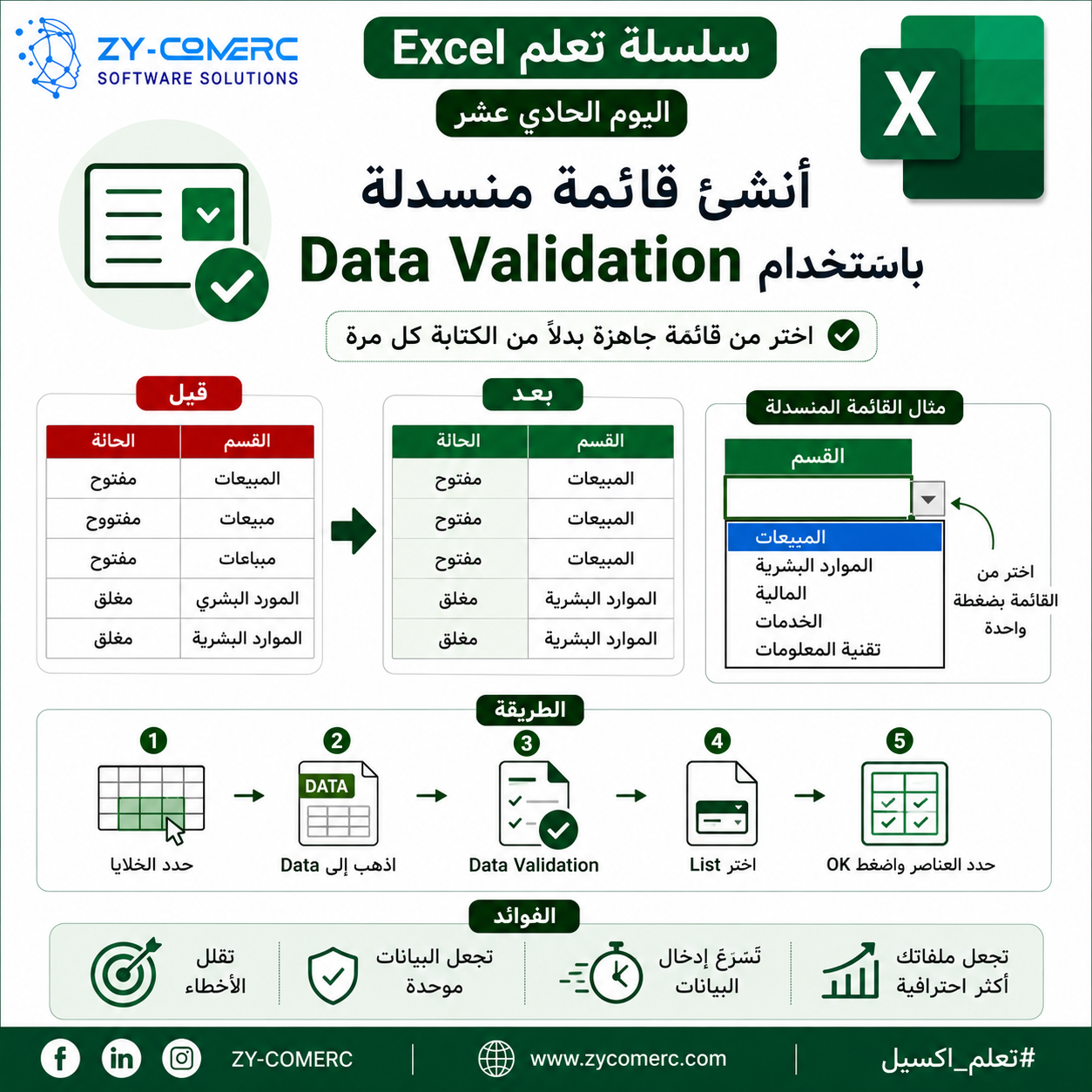
Instead of manually typing department names, statuses, or categories every time, use Data Validation (Drop-Down Lists) in Excel.
With just one click, you can select from a predefined list instead of typing repeatedly.
✅ Reduce data entry errors.
✅ Keep your data consistent.
✅ Speed up data entry.
✅ Make your spreadsheets look more professional.
📌 How to create a drop-down list:
Select the cells.
Go to the Data tab.
Click Data Validation.
Choose List and specify your list items.
💡 This is one of the most widely used Excel features in Human Resources, Sales, Inventory Management, and Accounting.
0 Comments