
Excel

📊 Do your data contain duplicates? Don't remove them manually!
If you're working with a list of customers, products, or numbers, duplicate entries can easily go unnoticed.
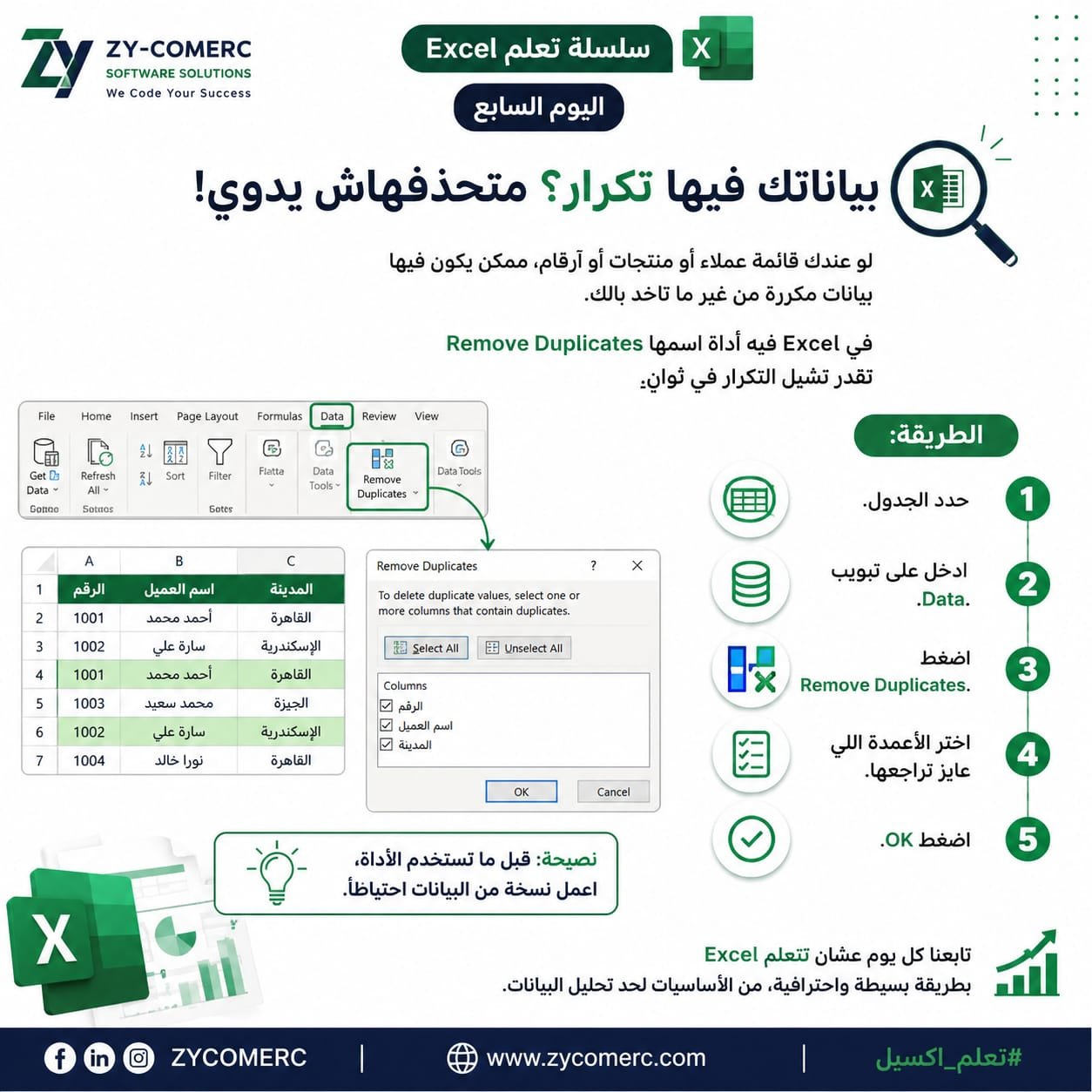
Excel has a built-in feature called Remove Duplicates that lets you clean your data in just a few seconds.
📌 Here's how: ✅ Select your table.
✅ Go to the Data tab.
✅ Click Remove Duplicates.
✅ Choose the columns you want to check, then click OK.
💡 Pro Tip: Before using this feature, make a backup copy of your data to avoid losing important information.
Follow us every day to learn Excel the simple and professional way—from the basics to advanced data analysis.
#Excel #MicrosoftExcel #LearnExcel #DataAnalysis #ExcelTips #ZYCOMERC #ZY_COMERC #ZYCOMERC_SOFTWARE_SOLUTIONS
0 Comments