
Windows 11

💡 Do you accidentally close programs and then have to arrange everything all over again?
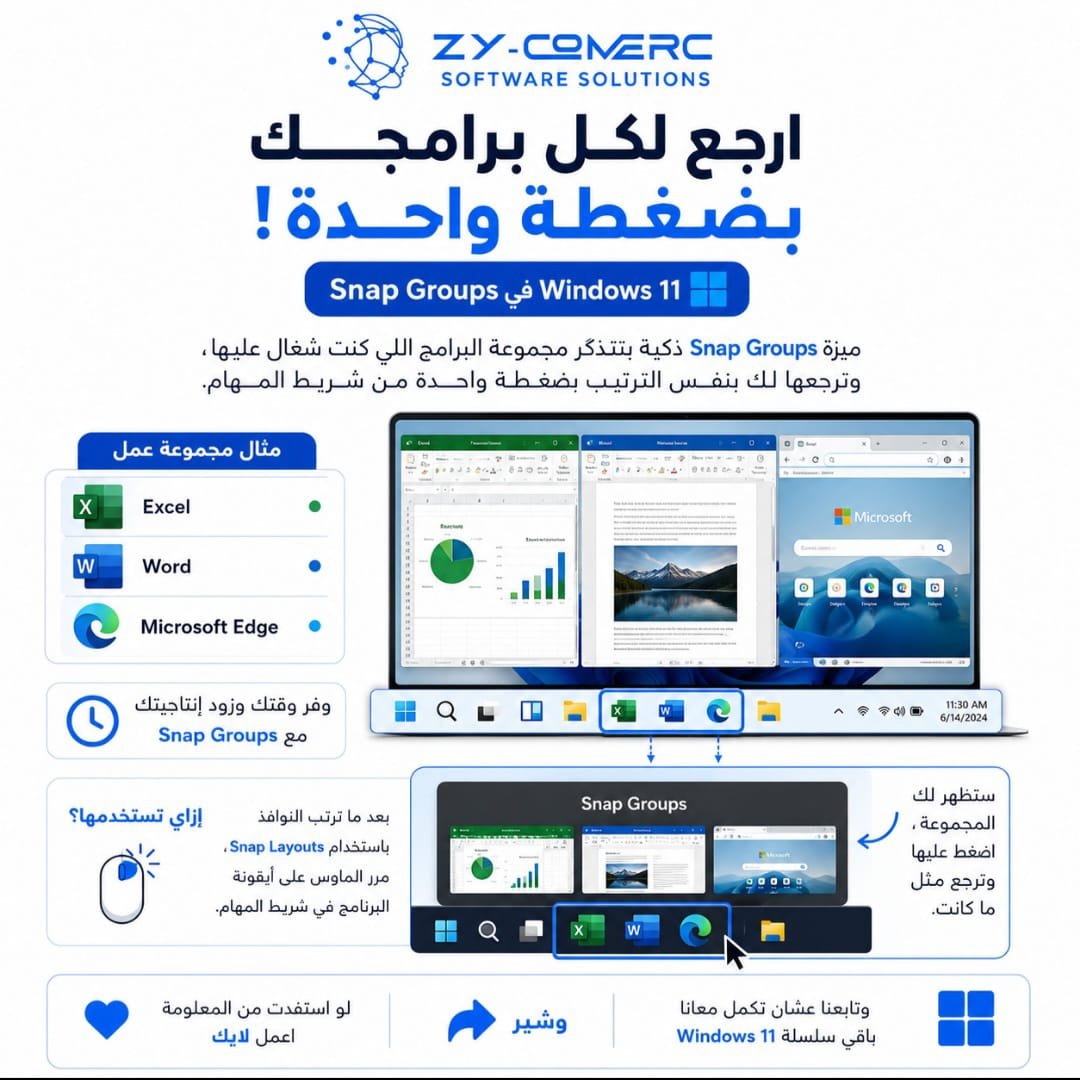
Windows 11 has a feature called Snap Groups that remembers the group of apps you were working with and lets you restore them with one click!
✨ For example:
📊 Excel
📄 Word
🌐 Microsoft Edge
Even after opening another program or moving to a different task, you can easily return to the same group without rearranging all your windows again.
📌 How to use it:
After arranging your apps with Snap Layouts, hover over the app icon on the taskbar. Your window group will appear. Click it, and all the apps will return to their previous arrangement.
🚀 It’s a simple feature, but it can save you a lot of time when working with multiple programs.
💙 If you found this tip useful, leave a like ❤️, share it 🔄, and follow us for more tips in our Windows 11 series.
#Windows11 #ويندوز11 #Microsoft #WindowsTips #Productivity #ZYCOMERC #ZY_COMERC #ZYCOMERC_SoftwareSolutions
0 Comments